Apple's New AI-Powered Siri: Navigating the Privacy Minefield
Apple's latest operating system introduces a significantly revamped, AI-powered **Siri**, transforming it from a simple voice assistant into a deeply integrated chatbot. While offering enhanced utility, this evolution presents new privacy challenges, particularly concerning data access and processing. Understanding and managing these settings is crucial for IT security professionals and privacy-conscious users alike.

The arrival of **Apple**'s new operating system brings with it a powerful iteration of **Siri**, now imbued with advanced AI capabilities. This update sees **Siri** evolve into a comprehensive app, deeply integrated with the system, and capable of surfacing information from across your device.
This expanded functionality, however, comes with a trade-off in privacy. **Siri** and **Spotlight** are now unified, meaning a simple pull-down on your screen may invoke **Siri** and grant it access to a wider array of your personal data.
By default, **Siri** will search through **Apple**'s native apps like **Notes**, **Messages**, and emails. Over time, third-party app developers can opt-in to allow **Siri** to access their app content. If a developer doesn't enable this support, **Siri AI** won't directly access the app's contents, with one notable exception: the "on-screen awareness" feature.
For instance, if you communicate with **Bill** exclusively on **Signal** (which may not implement **Siri AI** support), asking **Siri AI**, "What was the last photo **Bill** sent me?" will yield no results. However, if that conversation happened in **Apple Messages**, **Siri AI** could summarize the photo's content.
Data processing by **Siri** occurs either directly on your device or via **Apple**'s **Private Cloud Compute (PCC)**. While **Apple** asserts that data sent to **PCC** is not stored after processing, there's no immediate visual indicator to the user when data leaves the device for cloud processing. This ambiguity makes it difficult to ascertain where your data is being handled at any given moment.
**Apple** claims that **PCC** is engineered to prevent the company from seeing or storing your data. However, for users employing features like **Advanced Data Protection**, which encrypts much of **iCloud** data end-to-end, sending this data off-device, even to a "private" cloud, fundamentally alters the privacy risk assessment. "Private" in this context means **Apple** *shouldn't* be able to access it, not necessarily that it remains encrypted or on your device.
Users can disable **Siri** entirely (**Settings** > **Siri** > "Turn Off Siri"), but for those who wish to maintain some functionality, several guardrails can be put in place. It's important to note that **Siri AI** features are currently limited to **iPhone 15 Pro/Pro Max**, all **iPhone 16** models and newer, and are only available in English in select regions.
## How to Restrict Siri's Access to App Content
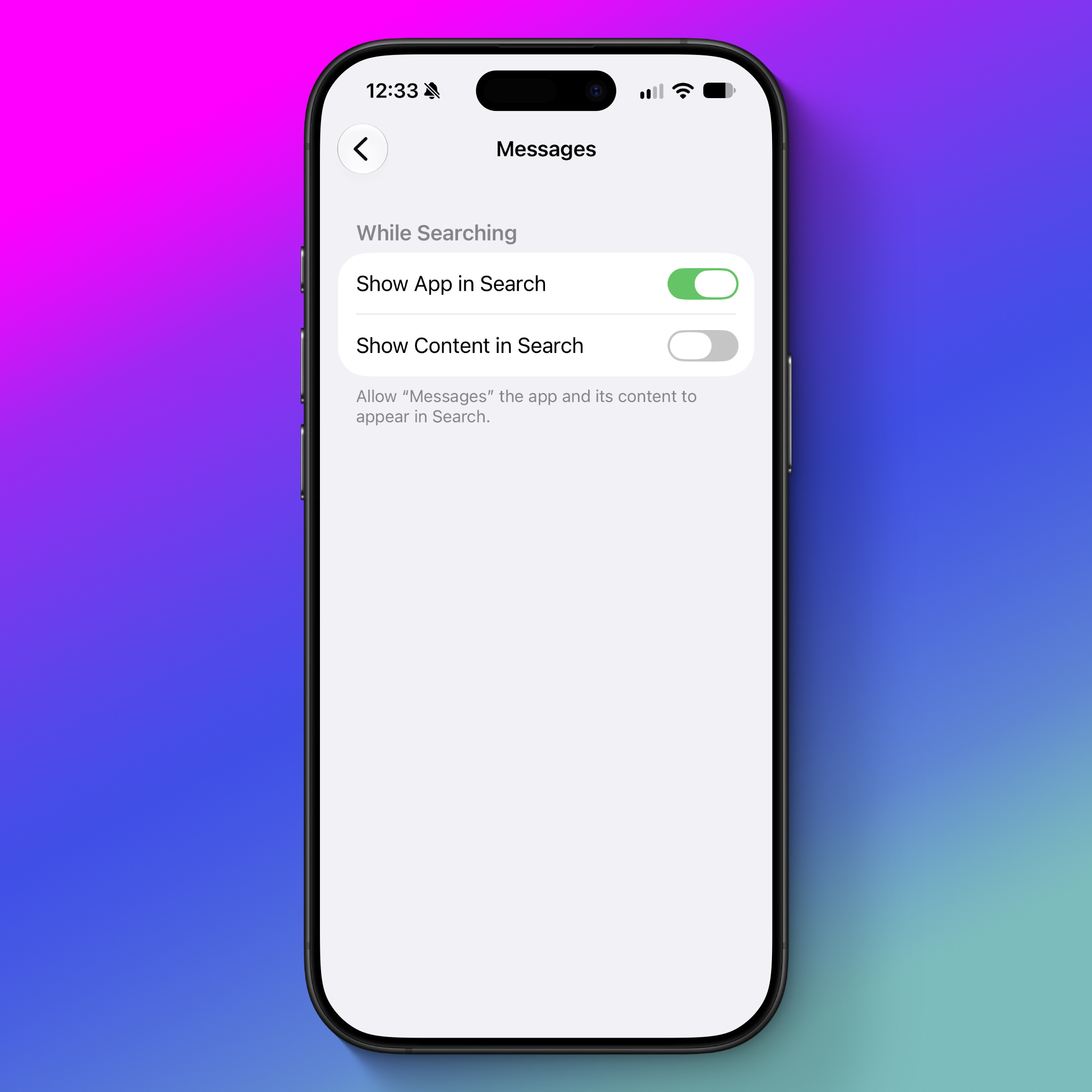
By default, **Siri AI**'s ability to access app data depends on the app developer's choices. If an app developer chooses to index their app's contents, that information may appear in search results and become available to **Siri AI**.
To prevent **Siri** from accessing content within specific apps:
* Open **Settings** > **Apps** > [the app you want to restrict] > **Search**
* Disable the option **“Show Content in Search.”**
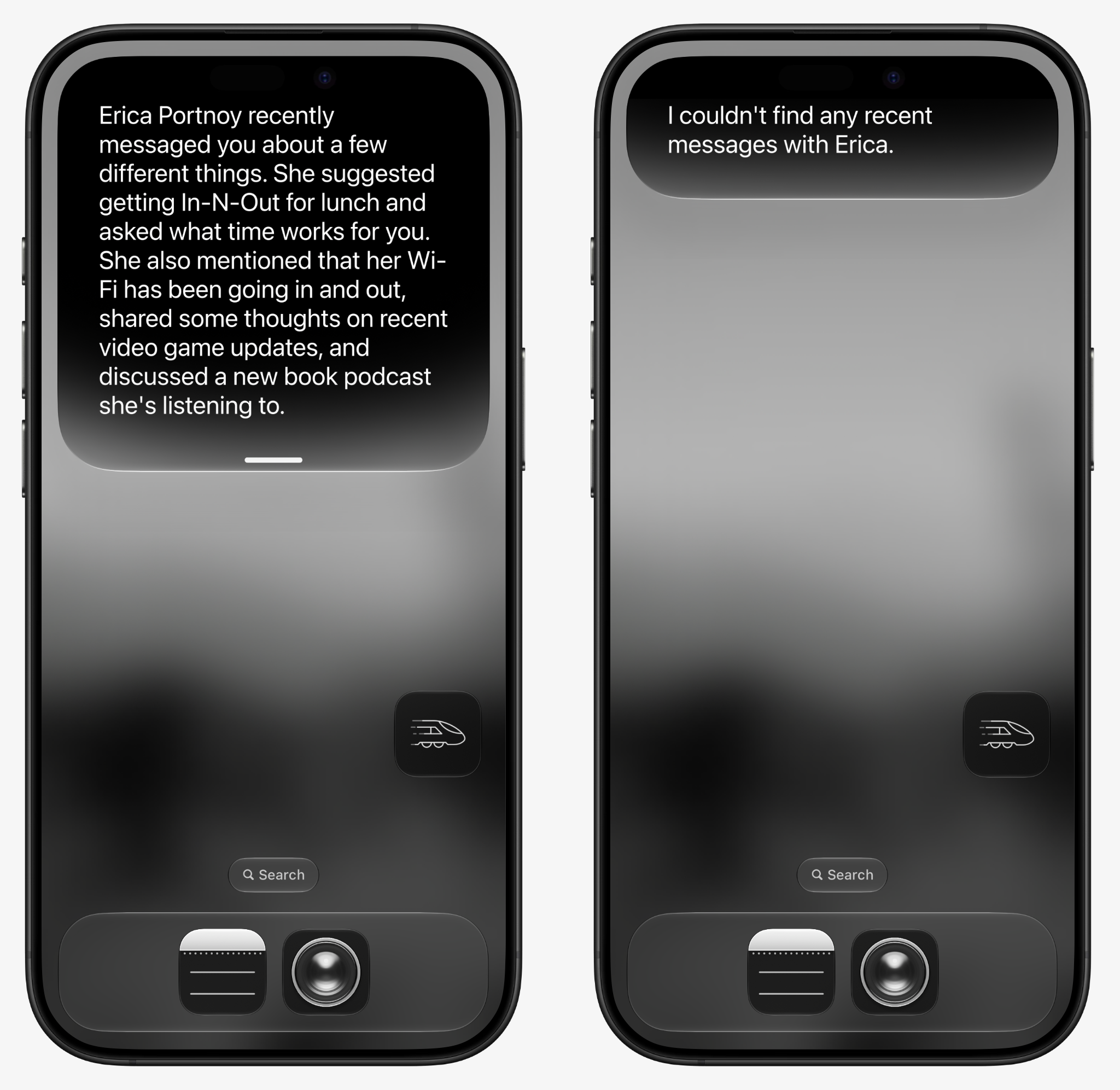
With this setting off, **Siri** will not surface details from the selected app when answering general questions. For example, disabling "Show Content in Search" for **Messages** will prevent **Siri** from reading your message conversations.
While an **“App Access”** setting exists under **Settings** > **Siri** > **App Access**, this primarily controls personalization features rather than direct content access. Options like “Learn from this App” relate to usage tracking and app suggestions, which **Apple** claims are processed on-device and not stored on servers.
For further details on controlling **Siri**'s various features, refer to **Apple**'s official documentation.
## The On-Screen Awareness Capability: A Point of Concern
One **Siri AI** feature that offers less user control is **on-screen awareness**. This allows you to prompt **Siri** at any time to analyze what's currently displayed on your screen and perform actions or summarize content. While useful for tasks like summarizing web pages or adding calendar events, it also extends to sensitive data.
For example, you could ask **Siri** to summarize a **Signal** group chat or a meme in a **WhatsApp** conversation. The data from these on-screen interactions *may* be sent to **PCC**. Crucially, neither users nor app developers currently have a way to block this feature. This means that if you're concerned about sensitive conversation content potentially leaving your device, the only recourse is to avoid using this feature entirely.
**Apple** could significantly enhance privacy, especially for secure chat applications, by providing developers with a mechanism to block **Siri AI**'s on-screen awareness tool. An even better solution would be a single, overarching control for users to disable all **Siri AI** features for a given app.
## Revoke Access to Training Data
By default, **Siri AI** does not collect and use data from your interactions for training its AI features. However, during the initial setup, users are presented with an option to opt-in. If you inadvertently enabled this, you can revoke access.