Supply Chain Attack Targets Laravel Lang Packages with Credential-Stealing Malware
A sophisticated supply chain attack has compromised the **Laravel Lang** localization packages, exposing developers to credential-stealing malware. Attackers abused **GitHub** version tags to distribute malicious code through **Composer** packages, affecting multiple repositories.


Security firms **StepSecurity**, **Aikido Security**, and **Socket** issued warnings about the compromise, highlighting that attackers rewrote **GitHub** tags across four repositories maintained by the **Laravel Lang** organization, rather than publishing entirely new malicious versions. This allowed them to inject malicious code into what appeared to be legitimate releases.
### Affected Packages
The affected packages include `laravel-lang/lang`, `laravel-lang/http-statuses`, `laravel-lang/attributes`, and possibly `laravel-lang/actions`. These are third-party localization packages and are not part of the official **Laravel** project.
**Aikido Security** reported that attackers compromised 233 versions across three repositories, while **Socket** indicated that approximately 700 historical versions may have been impacted.
### Attack Mechanism
The attack's distinct characteristic lies in the fact that the project's source code wasn't directly modified. Instead, attackers exploited a **GitHub** feature that allows tags to point to commits in forks of the same repository.
**StepSecurity** explained, "Rather than publishing a new malicious version, the attacker rewrote every existing git tag in each repository to point at a new malicious commit."
This technique allowed the attackers to publish what appeared to be legitimate release tags for the project, which actually led to malicious commits stored in an attacker-controlled fork of the repository. When developers installed the package via **Composer**, it downloaded the malicious code while appearing to install legitimate **Laravel Lang** releases.
### Credential Stealer Execution
Researchers discovered that the malicious releases introduced a file named `src/helpers.php`, automatically loaded by **Composer**.
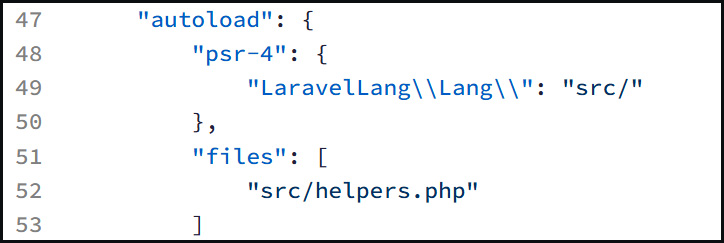
*helpers.php payload added to autoload section of composer.json*
The injected code acted as a dropper, downloading a second payload from the attacker's command and control server at `flipboxstudio[.]info`.
The downloaded PHP payload was a large cross-platform credential stealer for Linux, macOS, and Windows. It harvests cloud credentials, Kubernetes secrets, Vault tokens, Git credentials, CI/CD secrets, SSH keys, browser data, cryptocurrency wallets, password managers, VPN configurations, and local `.env` configuration files.
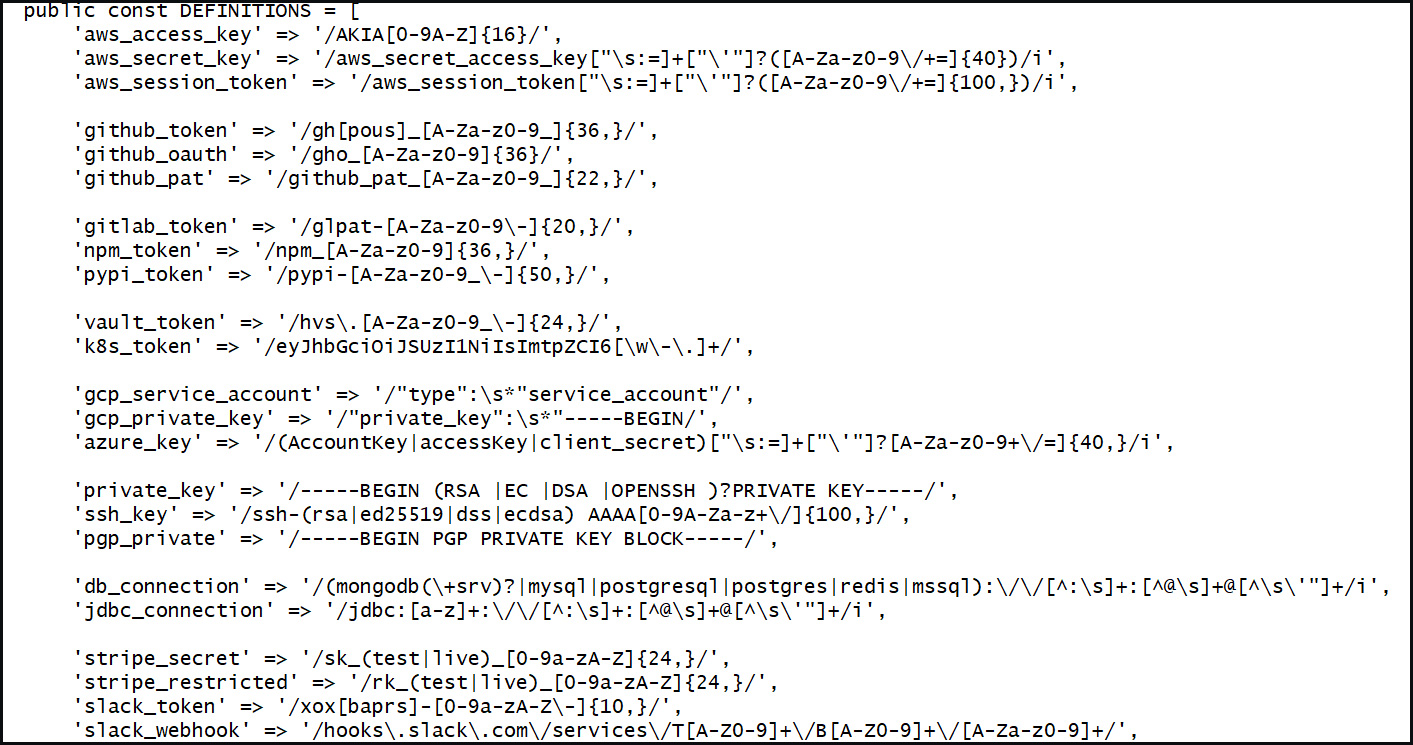
*Regular expression patterns used to steal secrets. Source: BleepingComputer*
The malware also contains regular expression patterns to extract **AWS** keys, **GitHub** tokens, **Slack** tokens, **Stripe** secrets, database credentials, JWTs, SSH private keys, and cryptocurrency recovery phrases from files and environment variables.
On Windows systems, the PHP payload extracts a base64-encoded executable, written to the `%TEMP%` folder as a random `.exe` filename, and then launched.
**BleepingComputer's** analysis identified the Windows infostealer as 'DebugElevator', targeting Chrome, Brave, and Edge to extract App-Bound Encryption keys for decrypting stored browser credentials.
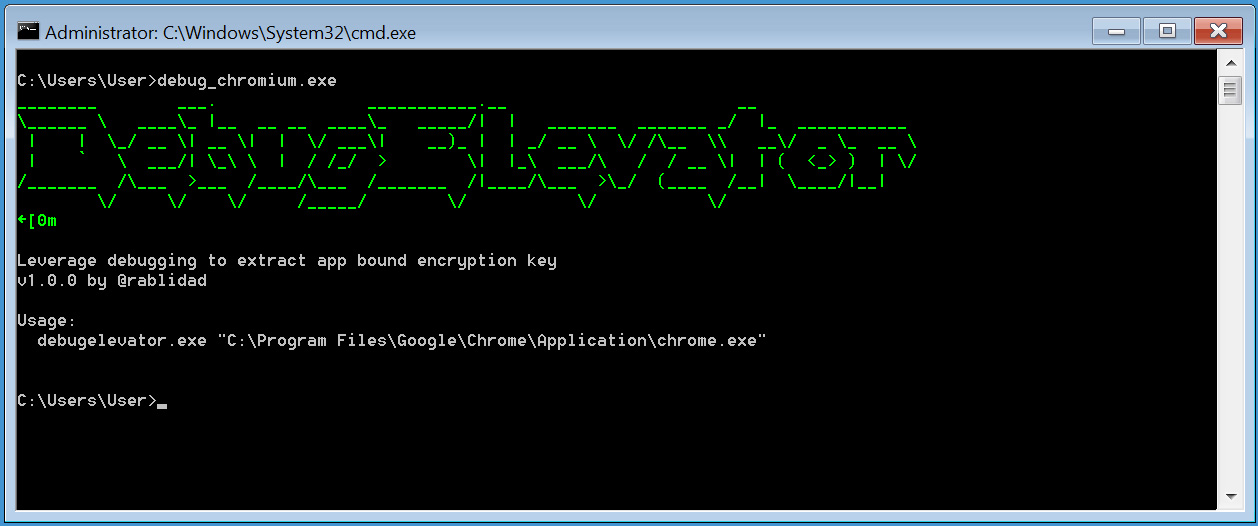
*DebugElevator executable. Source: BleepingComputer*
An embedded PDB path references the Windows account name 'Mero' and contains 'claude,' potentially indicating AI assistance in developing the Windows malware:
C:\Users\Mero\OneDrive\Desktop\stuff\claude\Chromium-DebugElevator\x64\Release\DebugChromium.pdb
Once extracted, the sensitive data is encrypted and sent back to the C2 server.
### Mitigation
**Aikido Security** reported the incident to **Packagist**, which promptly removed the malicious versions and temporarily unlisted the affected packages.
Developers using **Laravel Lang** packages are advised to:
* Review installed package versions.
* Rotate exposed credentials.
* Inspect systems for indicators of compromise.
* Check for historical outbound connections to `flipboxstudio[.]info`.
<div>
<p><a rel="noopener nofollow" href="https://hubs.li/Q048zztN0"><img src="https://www.bleepstatic.com/c/p/validation-gap.jpg" data-src="https://www.bleepstatic.com/c/p/validation-gap.jpg" alt="article image"></a></p>
<div>
<h2><a rel="noopener nofollow" href="https://hubs.li/Q048zztN0">The Validation Gap: Automated Pentesting Answers One Question. You Need Six.</a></h2>
<p>Automated pentesting tools deliver real value, but they were built to answer one question: can an attacker move through the network? They were not built to test whether your controls block threats, your detection rules fire, or your cloud configs hold.</p>
<p>This guide covers the 6 surfaces you actually need to validate.</p>
<p><a rel="noopener nofollow" href="https://hubs.li/Q048zztN0">Download Now</a></p>
</div>
</div>