Malicious Ads Exploit ChatGPT Sharing Feature to Distribute Malware
Cybercriminals are leveraging **ChatGPT**'s content-sharing feature to spread malware disguised as a desktop application. The "LLMShare" campaign uses malicious ads to redirect users to fake **OpenAI** outage pages, highlighting a growing trend of abusing AI platform features for malicious purposes.

Threat actors are actively exploiting **ChatGPT**'s content-sharing feature to distribute malware by displaying fake **OpenAI** outage pages. These pages trick users into downloading malware disguised as the **ChatGPT** desktop application. This campaign highlights the increasing sophistication of cyberattacks targeting AI platforms.
### LLMShare Campaign
The "LLMShare" campaign, uncovered by **Push Security**, utilizes **Google** ads to redirect users searching for **ChatGPT** to a malicious shared **ChatGPT** page hosted on `chatgpt.com`. This allows the attack to be delivered through a legitimate **OpenAI** domain, increasing the likelihood of unsuspecting users falling victim.
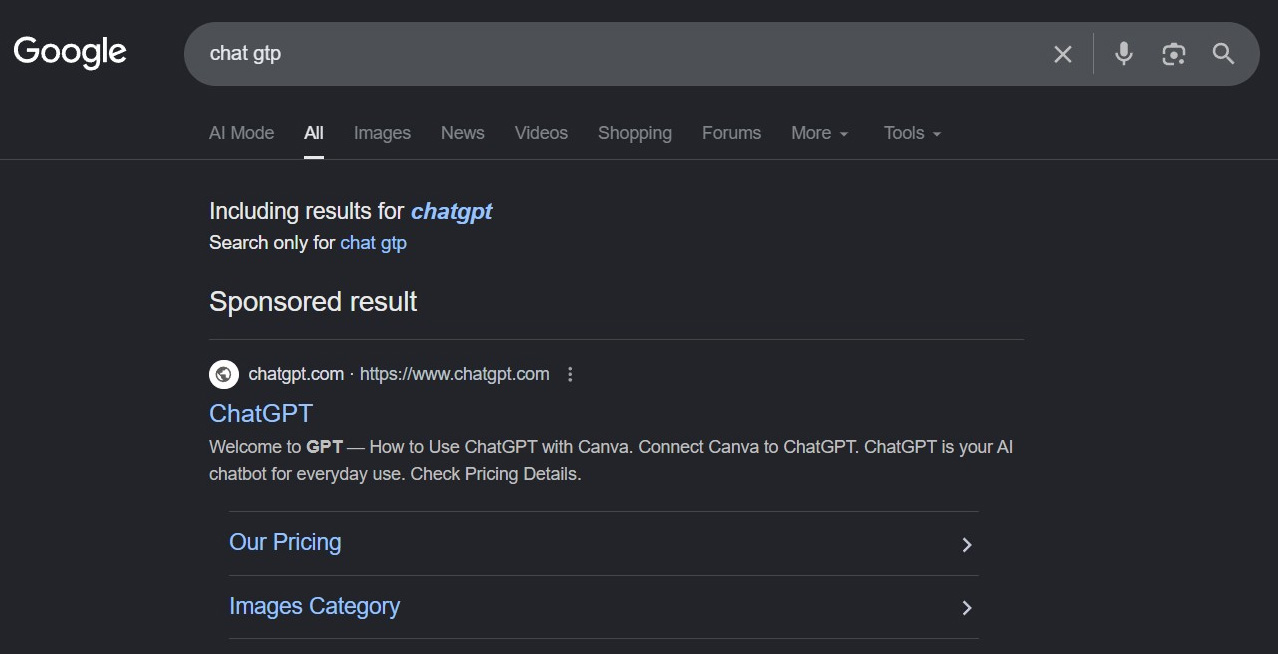
Users who click on the advertisement are directed to a legitimate **ChatGPT** shared page. Instead of a chat conversation, they encounter a rendered outage notice claiming the web version is unavailable and prompting them to download a desktop application.
### Fake Outage Notice
The fake outage message reads, "We're experiencing high traffic right now. Our website is temporarily unavailable due to a large number of users. Download our desktop app to continue."
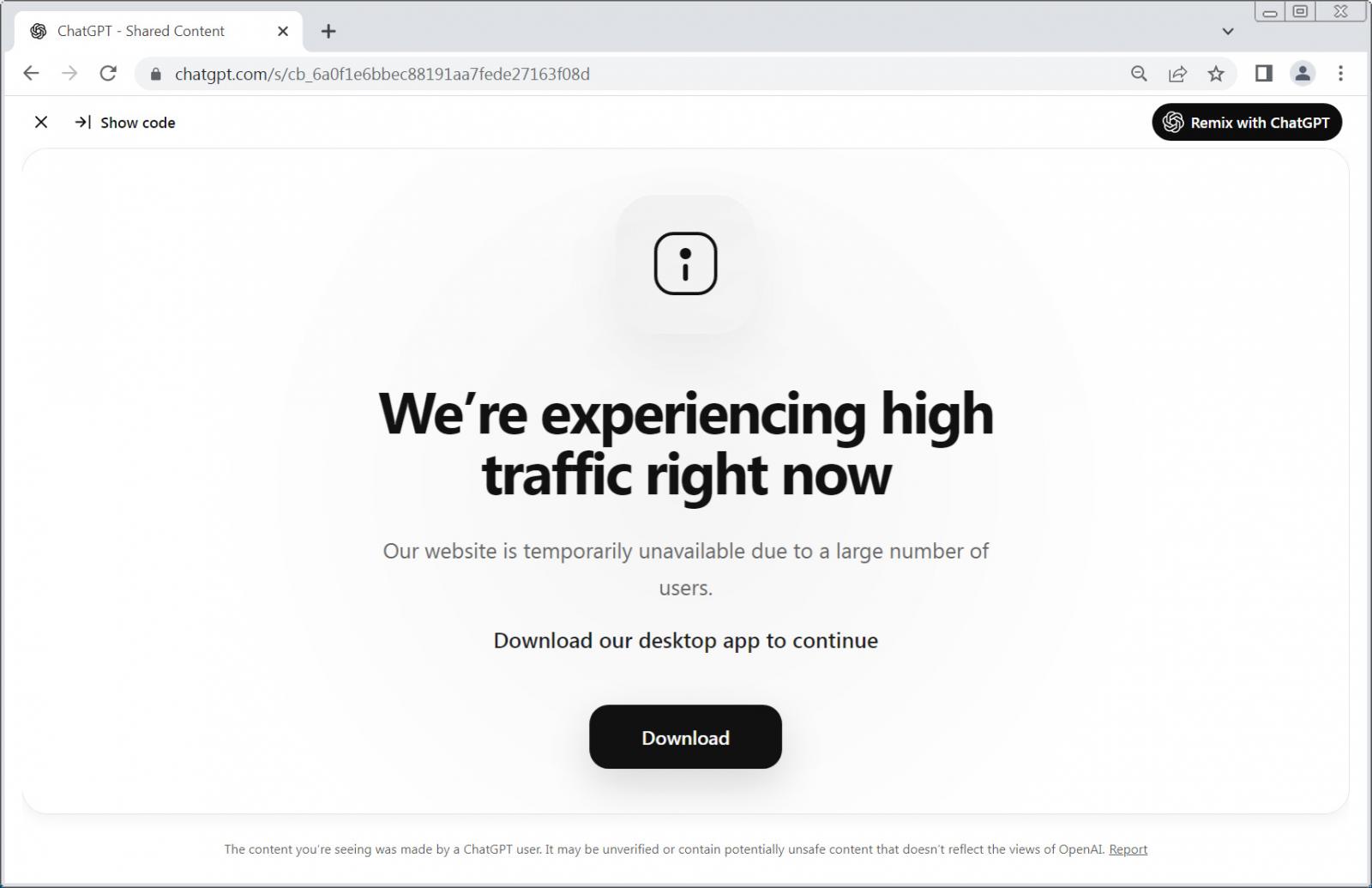
Unlike traditional phishing attacks, the fake outage notice is rendered directly through **ChatGPT** itself. The attackers created a custom HTML page using **ChatGPT**'s rendering capabilities and published it via a shared `chatgpt.com/s/` link. This allows the fake outage notice to be displayed from a legitimate **ChatGPT** URL.
**Push Security** noted that the page includes "Show code" and "Remix with **ChatGPT**" controls, revealing that the fake outage notice is generated from custom HTML and CSS rendered by a **ChatGPT** prompt.
### Malicious Download
Clicking the download button redirects users to a website at `openew[.]app`, which impersonates **OpenAI**'s desktop application download portal.
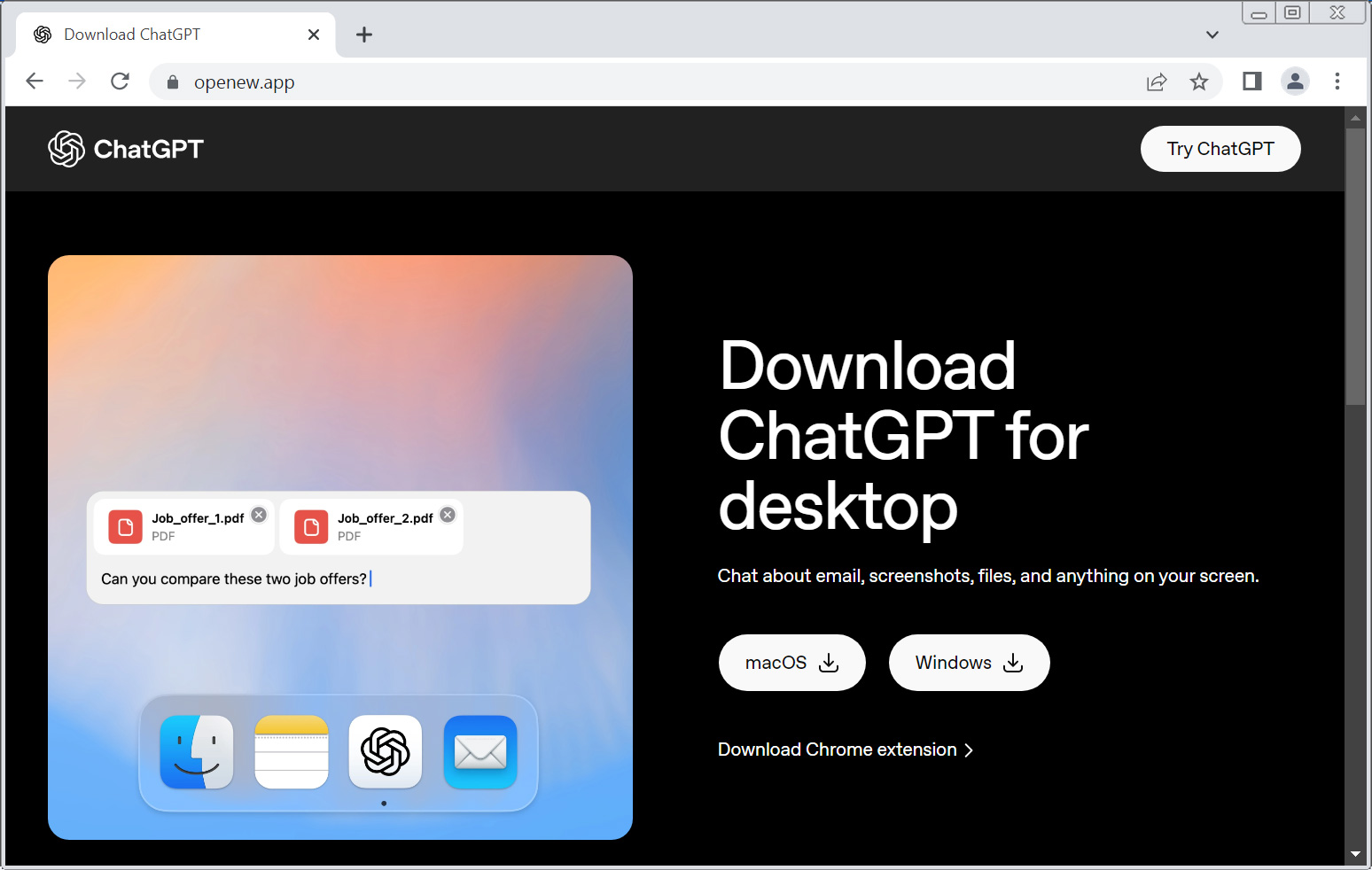
Researchers have discovered that this site uses cloaking techniques to display content only to targeted victims. Security platforms like URLScan are shown a harmless AR/VR company website instead.
The website offers both macOS and Windows downloads that install malware. While the specific payloads remain unclear, previous campaigns abusing AI platform sharing features have distributed infostealers. A **BleepingComputer** test of the Windows version on **Any.Run** revealed that it executes commands to determine whether the device is a legitimate computer or a virtual machine.
### Abusing AI Platform Features
**Push Security** also observed attacks abusing **Claude Artifacts**, **Anthropic**'s feature for sharing rendered applications and content, to host ClickFix-style lures that tricked users into executing malicious commands. These attacks highlight the growing trend of exploiting legitimate AI platform features for malicious purposes.
Earlier this year, threat actors used **Google** advertisements to direct users searching for **Claude** downloads to shared **Claude** conversations containing malicious installation instructions. Other campaigns abused shared **ChatGPT** and **Grok** conversations to conduct ClickFix attacks by impersonating software installation guides that instructed victims to execute commands that installed malware.