Forg365: AI-Powered Phishing-as-a-Service Targets Microsoft 365 Accounts
A sophisticated new Phishing-as-a-Service (PhaaS) platform, dubbed **Forg365**, is actively targeting **Microsoft 365** accounts. This platform distinguishes itself by integrating AI-assisted lure generation with advanced Adversary-in-the-Middle (AiTM) and device code phishing techniques, offering persistent access to compromised accounts via a dedicated browser extension.

## Next-Gen Phishing Leverages AI and Advanced Techniques
Security researchers at **ZeroBEC** have uncovered **Forg365**, a nascent but highly capable PhaaS operation designed to compromise **Microsoft 365** accounts. The platform's arsenal includes a combination of cutting-edge attack vectors and an integrated AI engine for crafting highly convincing phishing lures.
### Blending Legitimate Services with Malicious Intent
**ZeroBEC**'s investigation began with analyzing phishing emails masquerading as business documents, meticulously designed to mimic trusted services. The use of legitimate delivery services like **Amazon SES** for sender domains and **SendGrid** for image and tracking resources allows **Forg365** to seamlessly blend its malicious communications with legitimate email traffic, bypassing traditional security filters.
### A Comprehensive Phishing Toolkit
Access to the **Forg365** dashboard revealed a robust feature set, including:
* Device-code phishing
* Adversary-in-the-Middle (AiTM) phishing
* AI-assisted email content generation
* Token and cookie management
* Post-compromise operations
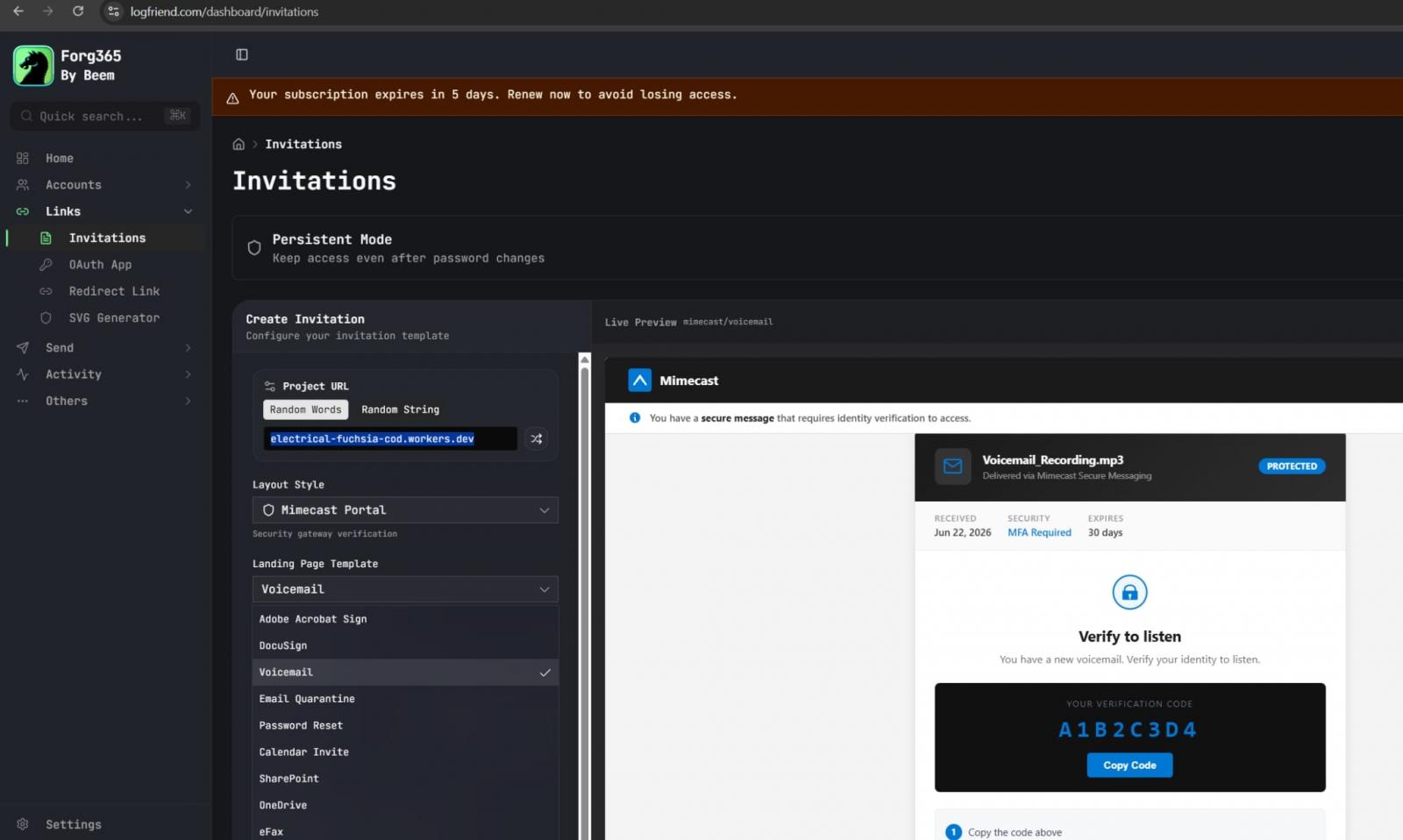
This integrated approach allows operators to manage campaigns, configure OAuth applications, and generate phishing emails all from a single, centralized interface.
### AI-Powered Lure Generation
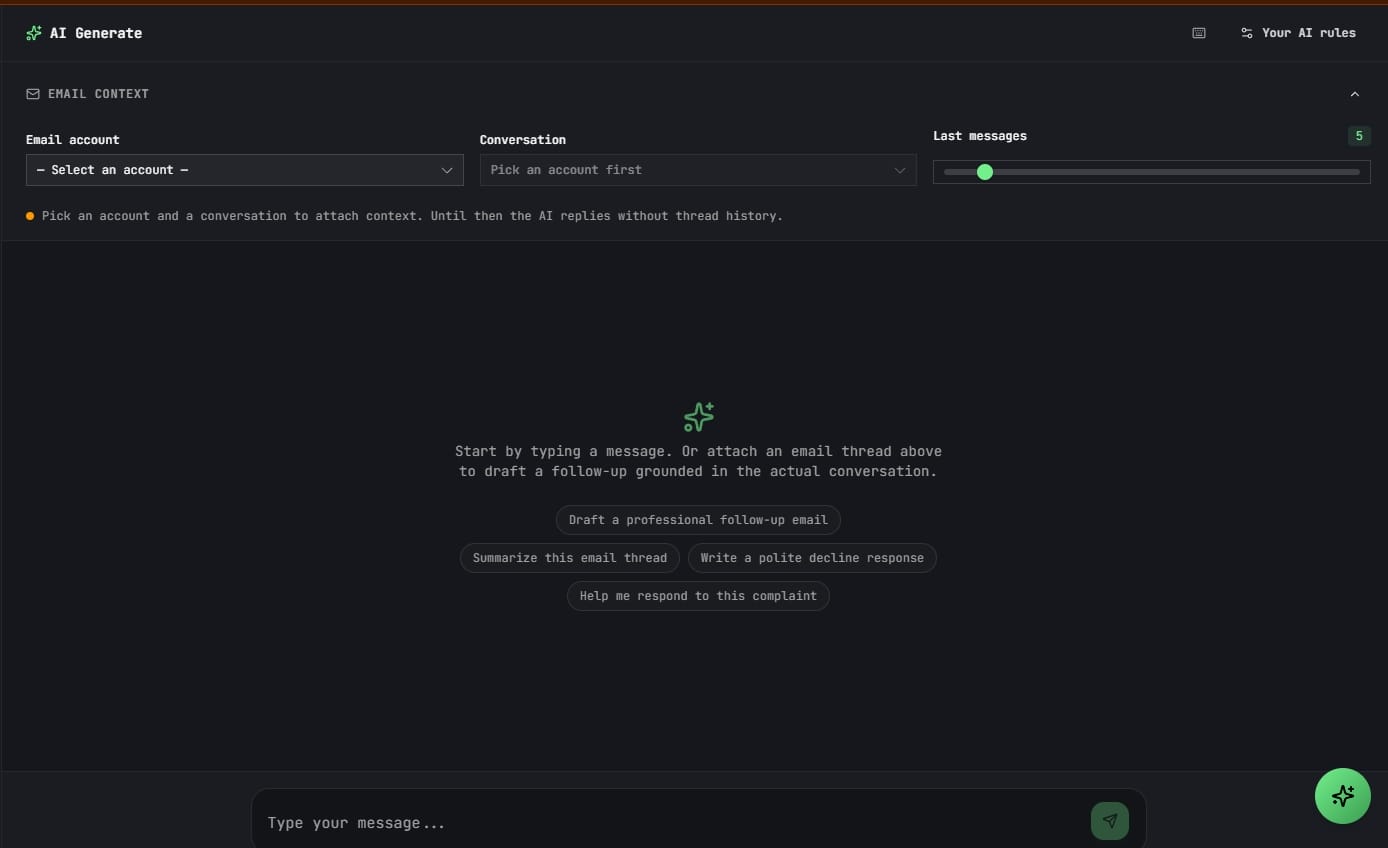
While AI's role in creating phishing content isn't entirely new, **Forg365**'s direct integration of this capability within its panel is noteworthy. This streamlines the process for attackers, reducing the cost and effort associated with developing custom, highly effective phishing emails.
### Persistent Access with ForgCookie
One of **Forg365**'s most concerning features is **ForgCookie**, a browser extension compatible with **Google Chrome**, **Microsoft Edge**, and **Brave**. This extension is engineered to automatically refresh **Microsoft SSO** cookies, providing attackers with persistent access to compromised **Microsoft** services without requiring re-authentication.
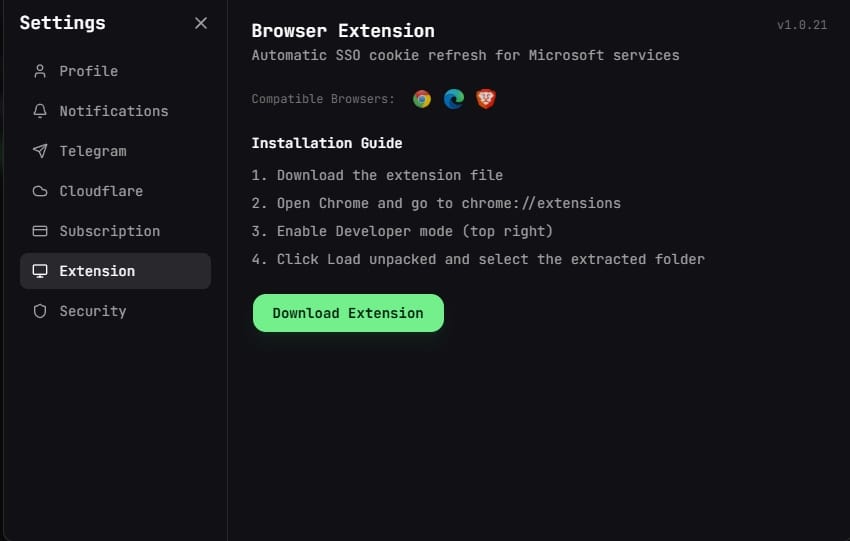
The extension operates by fetching account data from the **Forg365** backend, clearing existing session cookies, and initiating a silent **OAuth** flow to capture fresh cookies, thereby maintaining unauthorized access.
### Dual Attack Paths: Device Code and AiTM Phishing
**Forg365** primarily utilizes two sophisticated attack methods:
* **Device-code phishing:** Victims are presented with a fake **Microsoft** verification page and instructed to complete authentication via **Microsoft**'s legitimate device-code flow. This method tricks users into authorizing an attacker-controlled device through the **OAuth 2.0** device code authentication, bypassing direct password entry.
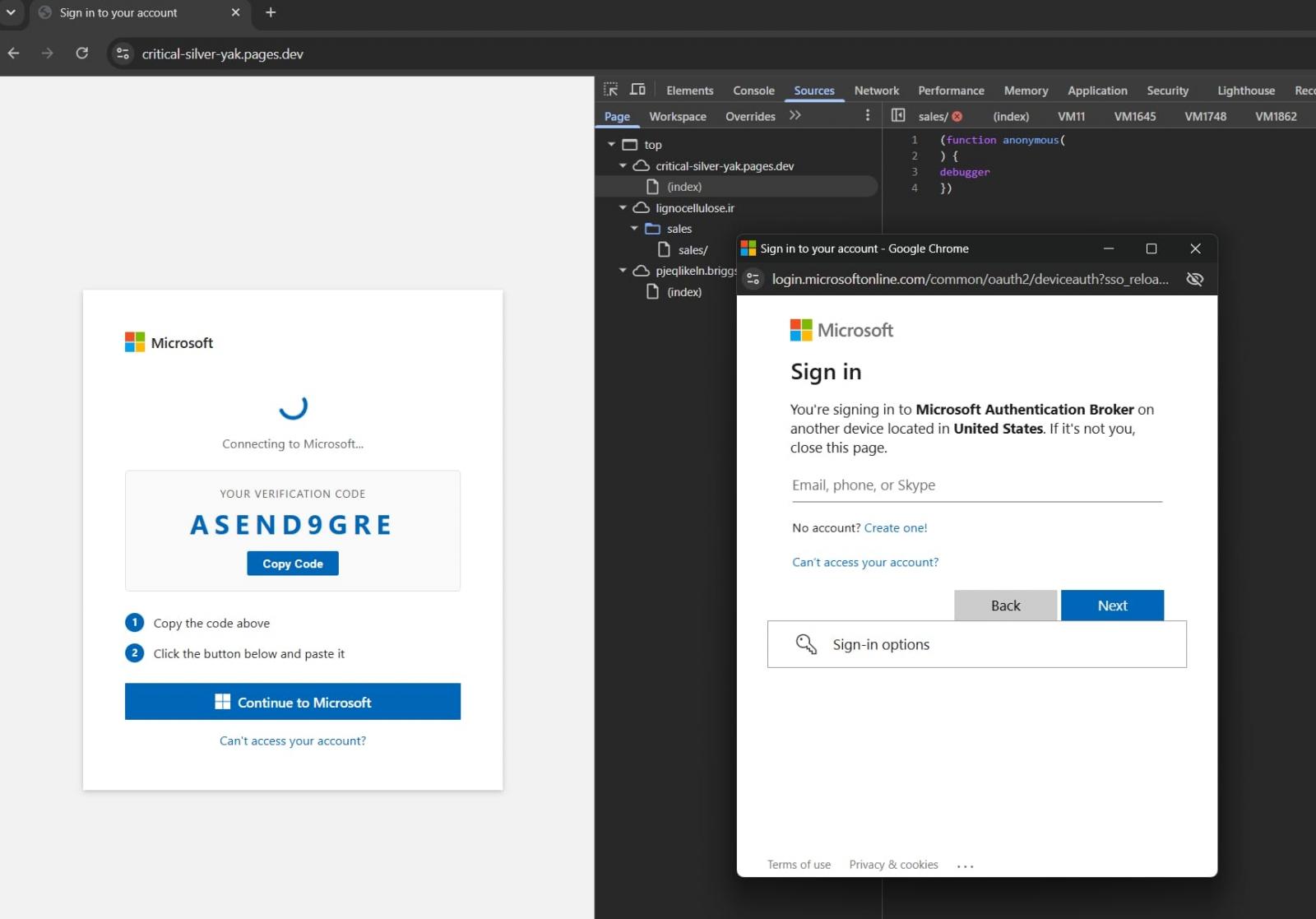
* **AiTM phishing:** This more traditional approach involves the platform acting as a proxy, intercepting authentication requests and data exchanged between **Microsoft** infrastructure and the target account, thereby capturing session cookies.
### Evasion and Infrastructure
To evade detection and analysis, **Forg365** incorporates an AntiBot feature equipped with "AES-encrypted redirectors, bot detection, debugger traps, sandbox checks, and polymorphic code." It also redirects users connecting via VPNs to innocuous content, further obscuring its malicious operations.
The platform leverages legitimate services like **Amazon SES** for email delivery, **Cloudflare Pages** for landing pages, and **Gophish** infrastructure for campaign deployment, making it challenging to identify and block.
### Recommendations for IT Security Professionals
**ZeroBEC** advises IT security professionals and privacy-conscious users to take the following preventative and detective measures:
* **Restrict/Disable Device-Code Authentication:** Limit or disable **Microsoft** device-code authentication unless absolutely necessary.
* **Monitor Entra Logs:** Actively monitor **Microsoft Entra** logs for any suspicious device-code authentication events.
* **Investigate Anomalies:** Scrutinize mailbox rules, new device sign-ins, **Microsoft Authentication Broker** activity, and **OAuth** grants for unexpected entries.
* **Revoke and Refresh:** In case of suspected compromise, immediately revoke all tokens and sessions and force a refresh.