Microsoft's KB5089573 Preview Update Brings Performance Boosts to Windows 11
**Microsoft** has released the KB5089573 preview cumulative update for **Windows 11** versions 25H2 and 24H2, featuring 30 changes, including performance and reliability improvements. This optional, non-security update allows IT admins and users to test new features and fixes before the broader rollout.

**Microsoft** has rolled out the KB5089573 preview cumulative update for **Windows 11** (versions 25H2 and 24H2), delivering 30 enhancements focused on performance and reliability.
The <a rel="nofollow noopener" href="https://support.microsoft.com/help/5089573">KB5089573</a> update is part of **Microsoft's** monthly non-security preview program. This schedule allows IT professionals and users to evaluate and test new features and fixes before they are widely released during the following month's Patch Tuesday.
It's important to note that unlike the regular Patch Tuesday updates, these monthly previews are optional and do *not* include security updates.
### Key Improvements in KB5089573
The May 2026 optional update focuses on general OS performance enhancements and several reliability improvements to **Windows Hello**.
"This update accelerates app launch and core shell experiences such as Start menu, Search, and Action Center," **Microsoft** stated in their <a rel="nofollow noopener" href="http://support.microsoft.com/help/5089573">support document</a>.
The update also refines sign-in behavior on the lock and sign-in screens. When **Windows Hello** face or fingerprint recognition is configured, it becomes the default sign-in method. If a user repeatedly fails to sign in with their PIN, **Windows** will default to PIN-based authentication until another method is selected.
Furthermore, KB5089573 enhances the reliability of File Explorer, the sign-in and lock screens, theme changes in Settings, and touch gestures on touchscreen devices.
The preview update also improves performance when resuming from Modern Standby and reduces unexpected blocks during **Windows Hello** Enhanced Sign-in Security authentication.
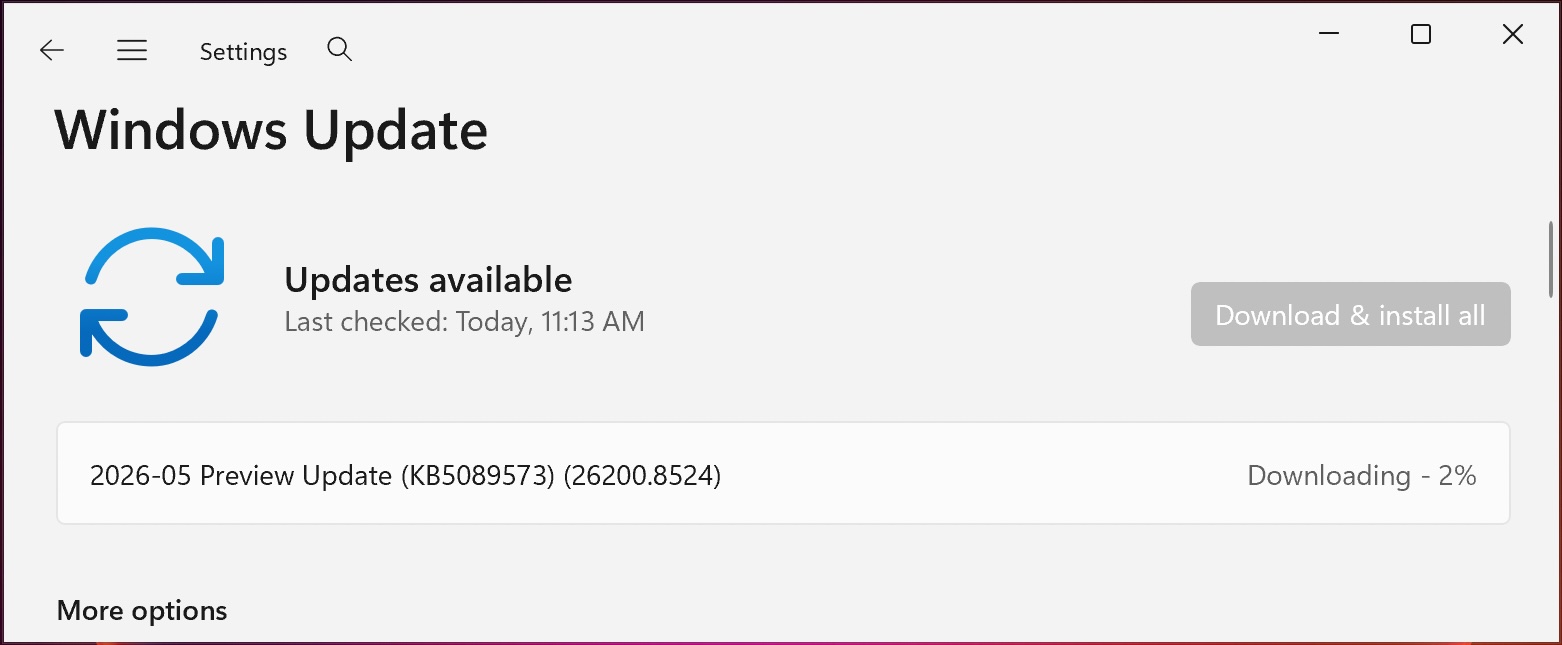
*KB5089573 preview update (BleepingComputer)*
### Installation
Users can install the update by downloading it from the <a rel="nofollow noopener" href="https://www.catalog.update.microsoft.com/Search.aspx?q=KB5089573">Microsoft Update Catalog</a> or through **Settings** > **Windows Update** > **Check for Updates**.
Since it is an optional update, users must manually initiate the installation by clicking "Download and install," unless the "Get the latest updates as soon as they're available" option is enabled.
### Build Versions
Upon installation, this update will upgrade **Windows 11** 25H2 and 24H2 devices to builds 26200.8524 and 26100.8524, respectively.
### Notable Enhancements:
The May 2026 preview update includes several key improvements:
* <a rel="nofollow noopener noreferrer" href="https://aka.ms/blog-bt-shared-audio" data-linktype="external">Shared audio</a>: Allows two users to simultaneously listen to the same audio on a single **Windows 11** PC.
* Improved CPU speed display in Task Manager for VMs, correcting inflated readings after hibernation.
* **[Sensors]**: Enhanced resilience against apps that prevent the sensor hub from powering down, thus improving battery life.
* **[Human Interface Device (HID)]**: Improved battery life for failed HID devices and enhanced power management for applications initiating HID transfers during standby.
* Improved targeting data for **Windows** quality updates, increasing the coverage of devices eligible to automatically receive new Secure Boot certificates. These certificates are rolled out in a controlled and phased manner after successful update signals.
**Microsoft** also reminded users about the rollout of <a rel="nofollow noopener" href="https://www.bleepingcomputer.com/news/microsoft/microsoft-rolls-out-new-secure-boot-certificates-before-june-expiration/">updated Secure Boot certificates</a> to replace the original 2011 certificates, which are expiring in late June. They initially announced this plan in January, following a November 2025 warning to update the certificates.
**Microsoft** also <a rel="nofollow noopener" href="https://www.bleepingcomputer.com/news/microsoft/microsoft-domain-controller-lookup-may-fail-on-windows-server-2016/">confirmed a known issue affecting **Windows Server 2016** systems</a> that causes domain controller lookup failures after installing the KB5087537 May 2026 security update.
<div>
<p><a rel="noopener nofollow" href="https://hubs.li/Q048zztN0"><img alt="article image" src="https://www.bleepstatic.com/c/p/validation-gap.jpg"></a></p>
<div>
<h2><a rel="noopener nofollow" href="https://hubs.li/Q048zztN0">The Validation Gap: Automated Pentesting Answers One Question. You Need Six.</a></h2>
<p>Automated pentesting tools deliver real value, but they were built to answer one question: can an attacker move through the network? They were not built to test whether your controls block threats, your detection rules fire, or your cloud configs hold.</p>
<p>This guide covers the 6 surfaces you actually need to validate.</p>
<p><a rel="noopener nofollow" href="https://hubs.li/Q048zztN0">Download Now</a></p>
</div>
</div>