Midnight Blizzard Leverages Hotel Wi-Fi to Deploy New Malware, Steal Microsoft 365 Credentials
A sophisticated global campaign, attributed to the Russian state-sponsored threat actor **Midnight Blizzard** (also known as **APT29**), is exploiting hotel and conference center Wi-Fi networks to compromise **Microsoft 365** accounts. The campaign, dubbed **CaptiveCrunch** by **Microsoft**, employs novel malware families **CornFlake** and **ChocoShell** to facilitate persistent access, surveillance, and extensive credential theft.

**Microsoft** has formally linked a widespread campaign targeting hospitality Wi-Fi networks to the notorious Russian threat actor **Midnight Blizzard**, also identified as **APT29**. This activity was initially brought to light by cybersecurity firm **ReliaQuest**, which detailed how attackers manipulated DNS settings on Wi-Fi devices to pilfer **Microsoft 365** accounts.
Beyond attributing the campaign to a sub-cluster of **Midnight Blizzard** tracked as **Storm-2945**, **Microsoft** has uncovered two previously unknown malware families: **CornFlake** and **ChocoShell**. These tools are designed for persistent access, credential harvesting, surveillance, and data exfiltration.
The **CaptiveCrunch** campaign is believed to have been active since at least early May, though **Midnight Blizzard** has been conducting device and **OAuth** code phishing operations since February.
### Attack Chain
The attackers initiate their assault by manipulating DNS and HTTP traffic on networks served by captive portal equipment. This allows them to intercept user connections to hotel and conference center Wi-Fi networks.
Similar to **ReliaQuest**, **Microsoft** has not definitively pinpointed the exact initial compromise vector but notes indicators of breaches within shared infrastructure rather than isolated devices.
After altering DNS settings, victims are redirected to convincing phishing pages impersonating **Microsoft 365** login portals or to device code phishing pages that abuse **Microsoft Entra ID** authentication flows. This activity has been observed since July.
A newly disclosed tactic involves the use of fake browser and operating system update pages. These pages deliver malware to Windows systems via **ClickFix** prompts, requiring user verification.
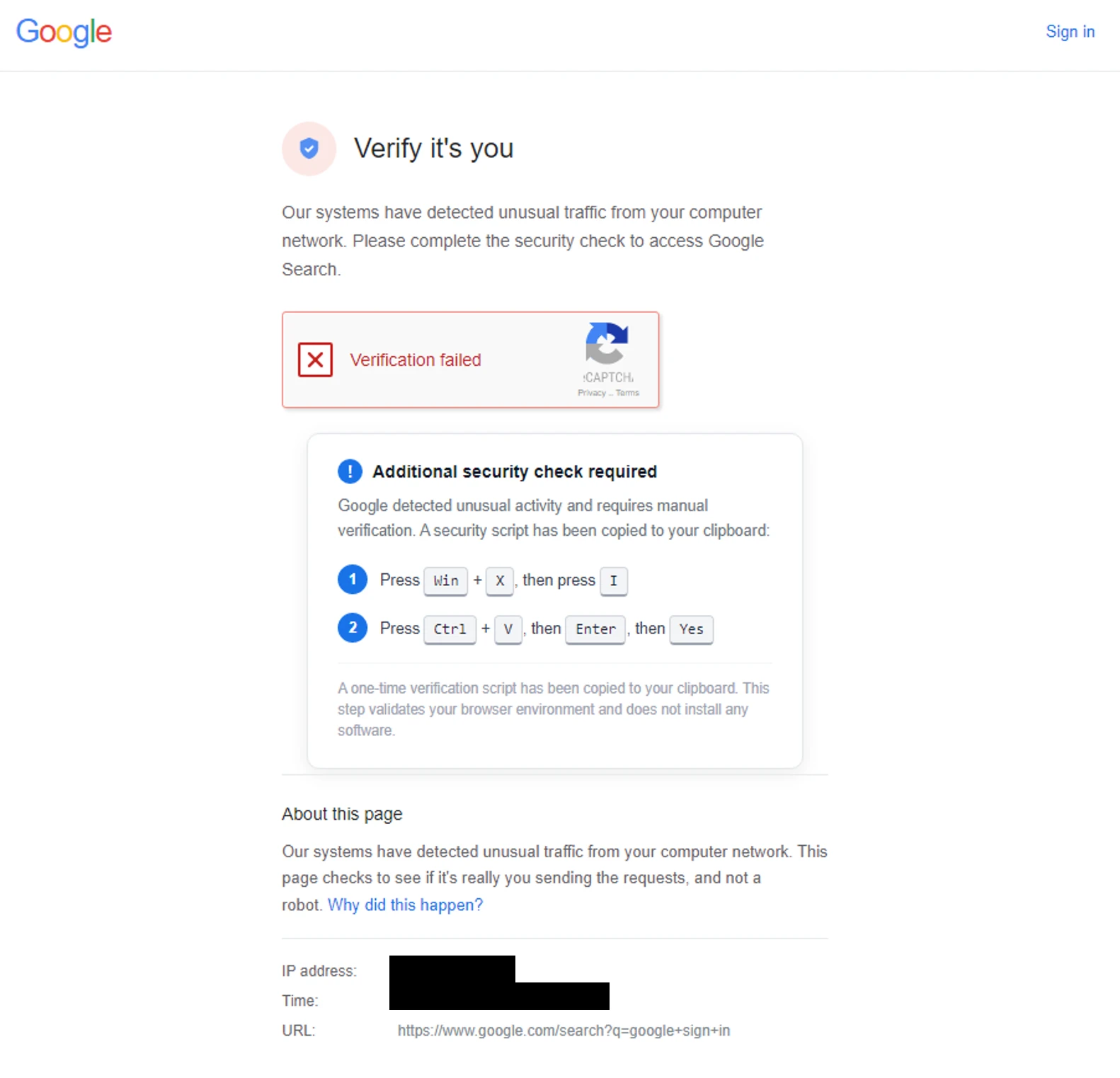
**Microsoft** also found evidence on some **ClickFix** landing pages suggesting that Android devices are being targeted with **APK** file delivery.
### CornFlake and ChocoShell Malware
**Microsoft**'s analysis of the two new Windows malware families reveals sophisticated capabilities. **CornFlake** is a **Go**-based Remote Access Trojan (**RAT**) equipped for:
* Remote shell access
* Keylogging
* Clipboard monitoring
* Screenshot capturing
* Microphone and webcam surveillance
* Browser credential and cookie theft
* **Microsoft 365** session token theft
* File exfiltration
* USB monitoring
* System reconnaissance
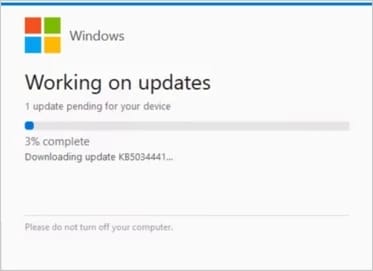
Upon execution, **CornFlake** displays a fake progress window designed to distract the user while the binary copies itself to `%AppData%` for persistence. This bogus window can be configured to mimic a Windows update, a Defender virus scan, a disk optimization utility, a network diagnostics tool, a browser update prompt, or a document viewer installer.
**CornFlake** masquerades as "Cloud Sync Service" to appear as a legitimate Windows component. It employs multiple persistence mechanisms, including Windows service registrations, registry run keys, named tasks, and a watchdog routine to restore any compromised persistence methods.
**ChocoShell**, the second payload, is an in-memory **PowerShell** credential stealer. It targets browser cookies, saved passwords, **Microsoft 365** and **Azure AD** tokens, and Wi-Fi credentials.
.jpg)
Based on extensive code comments, **Microsoft** assesses that **AI** tools were likely used in the development of both malware families.
Researchers also uncovered an unprotected web-based management panel named **FruitStone**, which the threat actor used to manage infected systems, browse victim files, execute **PowerShell** commands, and capture screenshots and keystrokes.
### Recommendations
**Microsoft** advises treating hotel and conference Wi-Fi networks as untrusted. Whenever possible, use private cellular or managed connections, and avoid performing software updates or installing tools offered through captive portals.
Additionally, it is crucial to adopt phishing-resistant authentication methods with **MFA** and passkeys, disable **Microsoft Entra** device code authentication when not actively required, and refrain from using corporate credentials to register for guest Wi-Fi networks.