Modernizing Active Directory Password Policies: Balancing Security and User Experience
Securing **Active Directory (AD)** accounts requires a delicate balance between robust password policies and user-friendliness. Overly strict rules can lead to workarounds, while weak policies increase the attack surface. This article explores modern strategies for strengthening AD password security without frustrating users.


Protecting **Active Directory (AD)** accounts starts with strong password policies, backed by consistent enforcement across the organization. However, make the rules too weak and you increase your attack surface; make them too strict and users will find workarounds, such as writing passwords down, reusing them across systems, or adding a predictable “!” to the end of the last version.
The challenge is enforcing modern, resilient password standards that avoid increasing helpdesk tickets or frustrating the people you’re trying to protect. However, with the right approach, you can strengthen your AD password posture and make life easier for users at the same time.
## Adopt Passphrases Over Complex Passwords
Traditional password complexity rules are frustrating and often ineffective against today's threats. When forced to include symbols, numbers, and mixed cases, users often resort to predictable options like `Password!2026`.
A better approach is to prioritize length over complexity with passphrases. Longer passwords composed of multiple words are easier to remember and significantly harder to crack. The **National Institute of Standards and Technology (NIST)** recommends allowing passwords up to 64 characters.
While most users won’t reach that limit, raising the minimum length (for example, to 15 characters or more) strengthens security and reduces the need for awkward, error-prone passwords.
## Block Weak and Compromised Passwords
Even with longer passwords, users are still likely to choose weak or common options. Password spraying attacks exploit this tendency, making it crucial to actively block weak password creation. This is where solutions like **Specops Password Policy** can help:
* **Creating custom banned word lists:** Security teams can build tailored dictionaries of blocked terms that reflect their organization’s environment. This helps prevent common weak choices, including passwords based on usernames, display names, repeated characters, incremental changes, or reused elements from existing credentials.
* **Breach password protection:** By continuously checking passwords against a database of over 5.4 billion known breached credentials, **Specops Password Policy** helps stop compromised passwords from being used in AD and allows issues to be addressed quickly.
Stopping weak passwords at creation is far more effective than trying to fix the problem after an account has been compromised.
## Rethink Password Expirations
Frequent password resets often lead users to make minimal tweaks, such as changing a few characters or making incremental changes. To avoid this, consider moving away from mandatory password expiration unless there is evidence of a compromise.
This doesn't mean eliminating expiry altogether, especially where password reuse is a concern. However, there's a strong case for extending expiry periods when users are creating long, robust passwords and you have controls in place to detect compromised credentials.
Length-based aging reinforces this approach. Tying expiration periods to password length encourages longer, stronger credentials with the reward of extended or even removed expiry, unless a compromise is detected.
## Use a Password Manager
One of the biggest challenges with strong password policies is reuse. Even when employees create a good AD password, they’re likely to repeat it across other systems simply because remembering dozens of credentials isn’t realistic.
An approved password manager, implemented securely, removes that burden. It allows users to generate and, more importantly, store every long, unique password they need for their accounts. For IT teams, enterprise password managers also support better control over shared credentials and privileged accounts. Combined with passphrase-friendly AD policies, they’re a practical way to improve security while reducing friction.
## Implement Self-Service Password Resets
Password resets are a major cause of helpdesk tickets in AD environments. Strict policies and user errors can quickly overwhelm support queues.
Secure self-service password reset reduces that pressure. By verifying identity through MFA or other authentication methods, staff can reset their own passwords quickly, often eliminating the need to raise a ticket.
Faster recovery reduces downtime, limits risky workarounds, and improves user experience. When people know they won’t be locked out for long, password policies feel far less disruptive.
## Customizable Notifications
Users shouldn't be caught off guard by sudden lockouts or last-minute expiry warnings. These annoyances lead to unnecessary disruption and support calls.
Clear, timely notifications make a difference, highlighting when action is needed and clearly explaining requirements. Good communication won't replace robust controls, but it helps users stay compliant and reduces the friction that often comes with password enforcement.
## Provide Dynamic Feedback at Password Creation
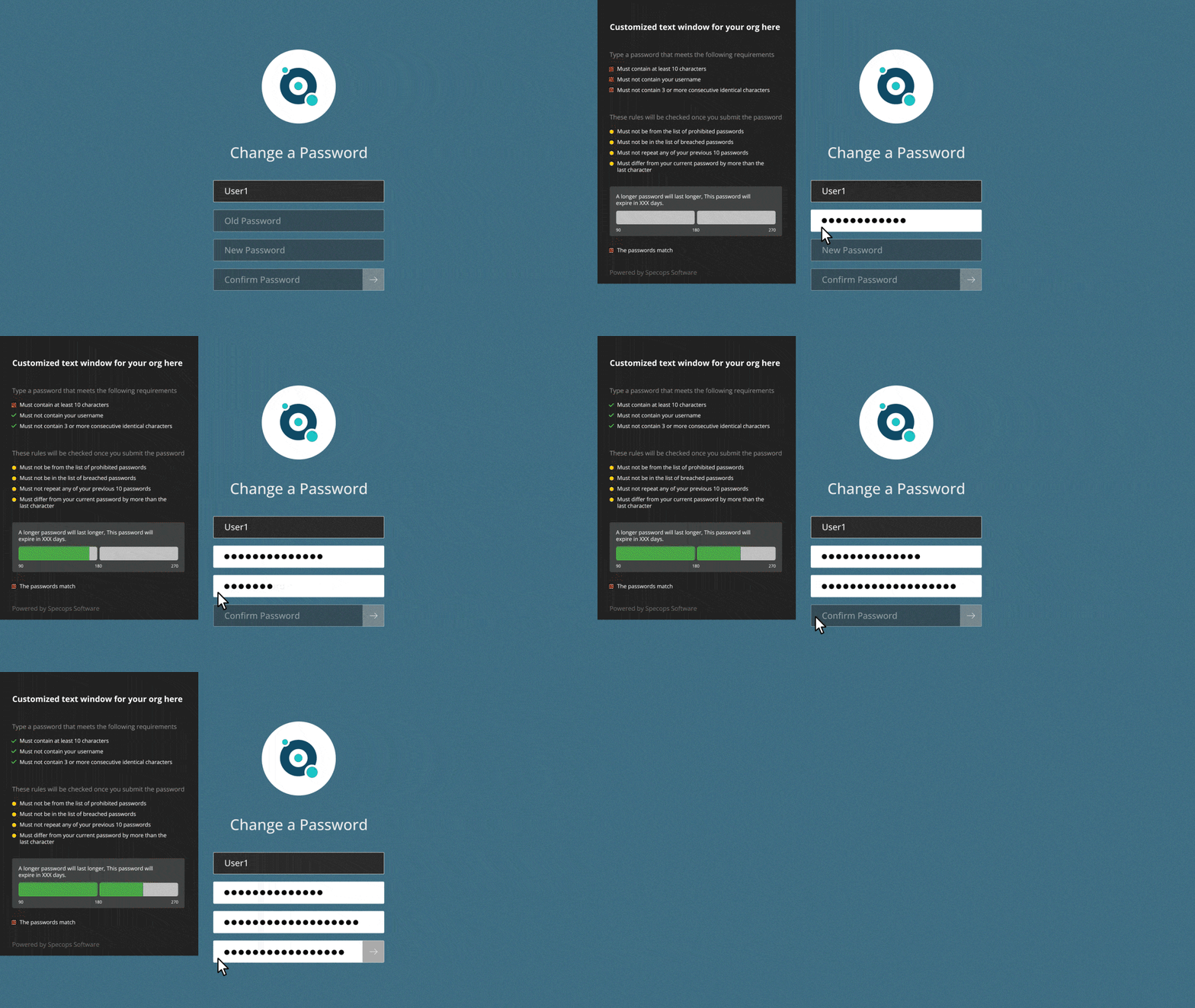
Vague “password does not meet requirements” messages are unhelpful. Effectively enforcing AD rules means supplying real-time, specific feedback when creating or changing passwords. Strength meters, banned password checks, and clear prompts make it easy for users to see exactly what the requirements are.
When feedback is immediate and actionable, users are more likely to create stronger credentials. It’s a small usability improvement that delivers a noticeable uplift in password quality.
## How Specops Can Help
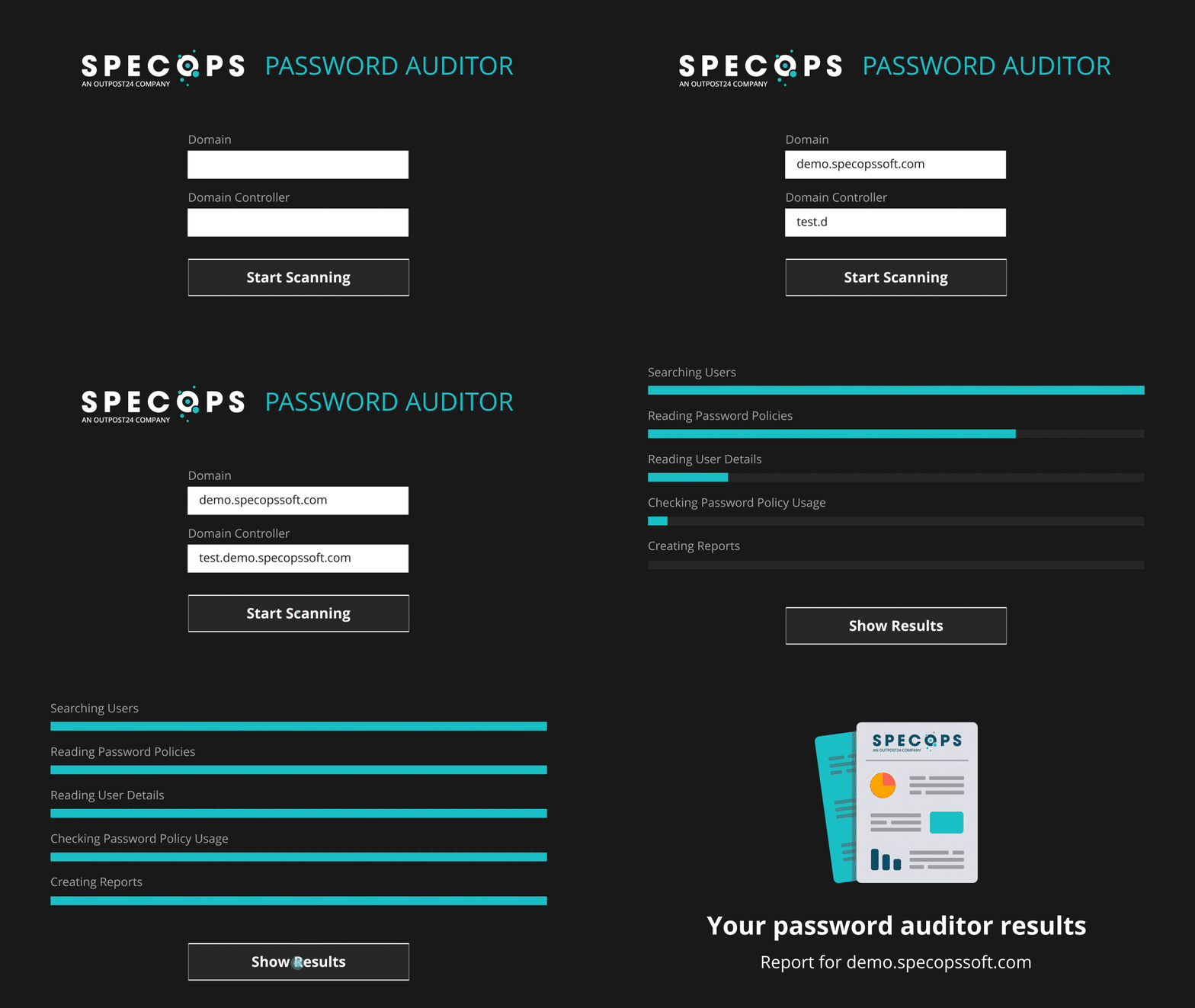
Reviewing and updating AD password policies is a balance between security and usability. A good starting point is auditing your AD environment using solutions like **Specops Password Auditor**. This free tool runs a read-only scan of your AD and highlights any password-related vulnerabilities, presented in an easy-to-understand report.
**Specops Password Policy** then helps organizations remediate any password-related issues and ensure continued policy enforcement across their environment. This includes practical improvements that strengthen resilience, such as continuously scanning for breached passwords and supporting passphrase implementation.
If you’re rethinking your password strategy, we can help you build an approach that improves protection while maintaining the user experience.
### Contact us today or book a demo to see our solutions in action.
*Sponsored and written by Specops Software.*