Opera Rolls Out 'Paste Protect' to Counter ClickFix Attacks
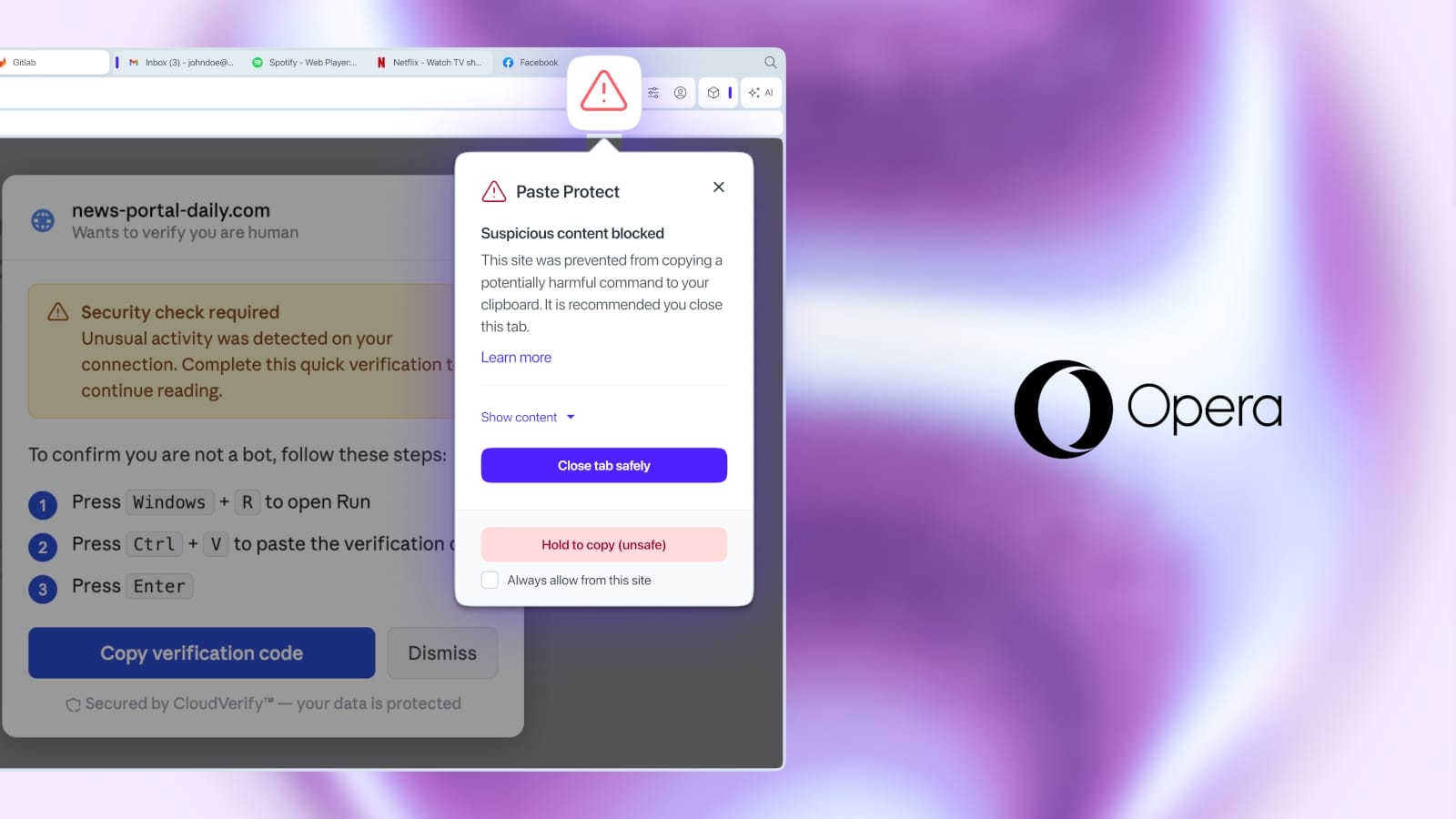
The **Opera** browser has introduced a new security feature called 'Paste Protect' to combat **ClickFix** attacks. This mechanism aims to prevent users from inadvertently copying and executing malicious commands, a common social engineering tactic used by threat actors to bypass security defenses and deploy malware.
### What is ClickFix?
**ClickFix** is a deceptive technique where users are tricked into copying dangerous code or commands to their clipboard, often under the guise of a 'verification process' or 'problem-solving instructions.' These commands are then executed in the command-line interface, leveraging user privileges to bypass existing security measures and frequently leading to the installation of information-stealing malware.
This method has become so prevalent that **Apple** recently implemented a similar security feature in **macOS Terminal** to detect and warn users about risky pastes.
### Opera's Solution: Paste Protect
**Opera's** new 'Paste Protect' feature takes a proactive approach by blocking harmful commands *before* they even reach the browser clipboard. It builds upon **Opera's** existing Hijack protection, introduced in 2021, which detects attempts by external applications to replace copied content.
**Paste Protect** introduces an 'Injection protection' component that scans copied content for patterns associated with malicious scripts and commands. This detection works across **Windows**, **macOS**, and **Linux** platforms, regardless of whether the copy action is initiated by the user or a website.
### How it Works
When **Paste Protect** identifies suspicious clipboard content, it automatically blocks the copy operation. Users will then see a warning pop-up and a red security indicator in the browser's address bar.
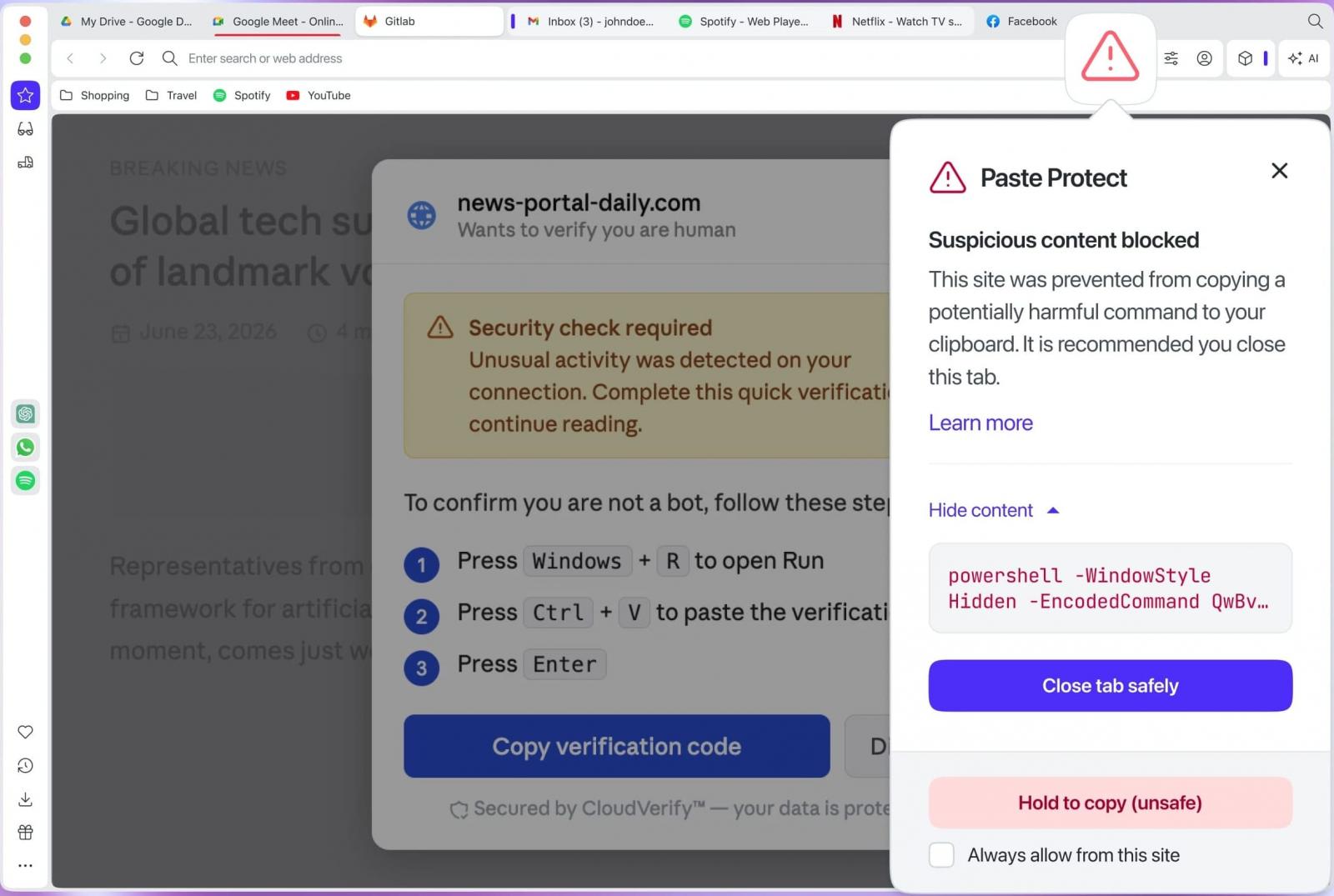
Users have the option to view the first 120 characters of the blocked script and can choose to approve the copy process after a 5-second timeout. For developers or users who frequently copy scripts from trusted sources like **GitHub**, **Opera** also provides an allow-list feature, enabling them to bypass warnings for specific websites.
### Managing Paste Protect
'Paste Protect' is enabled by default in the latest **Opera** release. Users can manage its settings through `Settings → Privacy & Security → Paste Protect`.
As a general cybersecurity best practice, IT security professionals and privacy-conscious users are advised to exercise extreme caution when executing commands found online and to thoroughly understand their function before proceeding.